Your Meta Ads Report: The Only 3 Numbers That Matter
Ads Manager shows dozens of columns. For a small business running lead ads, three numbers tell you almost everything: cost per lead, click-through rate and CPM. How to set them up, read them together and act on them.

By Nitin Patil, founder of Gaur Kripa Digital
· 5 min read
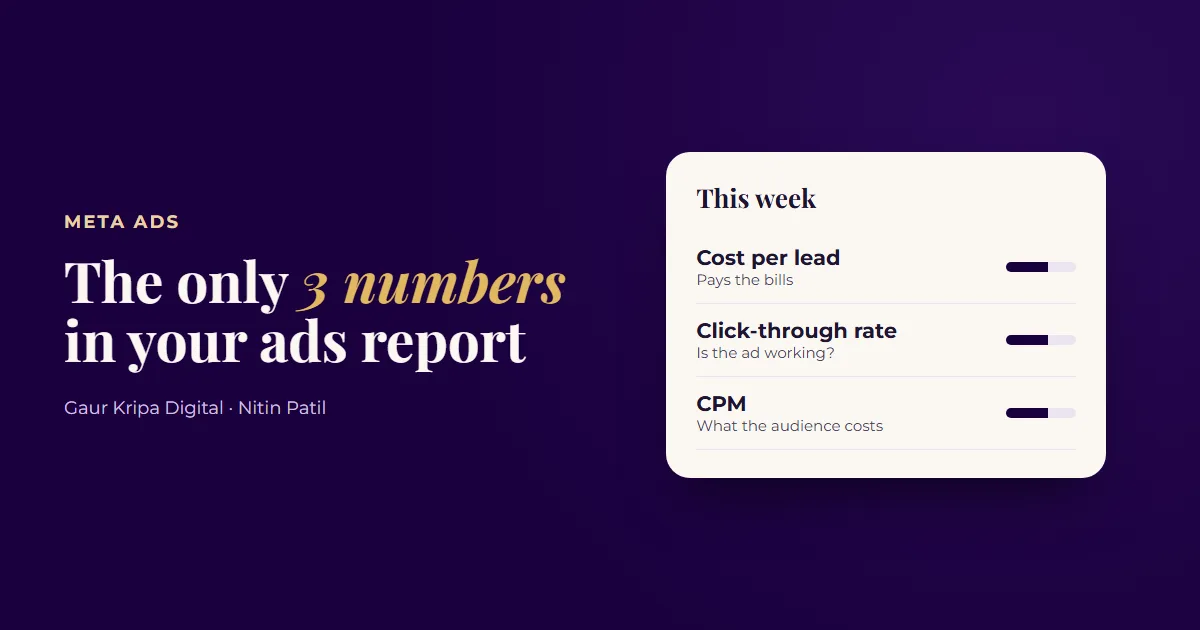
Open Meta Ads Manager and you're met with reach, frequency, impressions, CPC, CPM, CTR, results, cost per result and more. It's easy to stare at it all and not know whether your ads are working.
If you run lead ads for a local business, three numbers do most of the work. Here's what each one means, how to set up your report so you only see what matters, and what to do when a number changes.
First, set up a simple report
Ads Manager's default columns change depending on your campaign, and they often hide the numbers you need. Set it up once:
- In Ads Manager, open the Campaigns, Ad sets or Ads tab.
- Click Columns, then Customize columns.
- Add Results, Cost per result, CTR (link click-through rate), CPM (cost per 1,000 impressions), Amount spent and Frequency.
- Tick Save as preset and name it something like "Weekly check".
- Set the date range to Last 7 days.
From now on, pick that preset from the Columns menu and everything you need sits on one screen.
1. Cost per lead: the number that pays your bills
What it is: how much you paid, on average, for each lead (form fill, call or message). In Ads Manager it appears as Cost per result when your campaign's result is leads.
Why it matters: it's the only one of the three that connects straight to money. If you know your close rate and what a customer is worth, you know what cost per lead you can afford. (Our guide on how much to spend on ads shows that math.)
When it rises: look at the next two numbers to find out why.
2. Click-through rate: is the ad doing its job?
What it is: the share of people who saw your ad and clicked it. Use CTR (link click-through rate), which counts clicks that go somewhere, not likes or photo taps.
Why it matters: it measures the ad itself: the image or video and the words. A falling CTR usually means people have seen the ad too often, or it never spoke to them in the first place.
When it drops: check Frequency, the average number of times each person has seen your ad. If frequency keeps climbing while CTR falls, your audience is tired of the ad. Refresh the creative. Try a new hook or a new image first. The 3-line ad copy formula is a quick way to write fresh versions.
3. CPM: what the audience costs
What it is: the cost to show your ad 1,000 times.
Why it matters: it tells you how expensive it is to reach your audience right now. CPM rises when more advertisers compete for the same people, which often happens in the weeks before big holidays.
When it rises: if CTR and cost per lead are still fine, leave it. If cost per lead is rising too, consider a broader audience or a different placement mix, and expect higher prices around holiday periods.
Reading them together
| What you see | Likely cause | What to try |
|---|---|---|
| Cost per lead up, CTR down, CPM steady | The ad is wearing out | New creative or hook |
| Cost per lead up, CTR steady, CPM up | The audience got more expensive | Broaden the audience; ride out holiday weeks |
| Cost per lead up, CTR and CPM steady | People click but don't submit | Shorten the form or improve the landing page |
| CTR up, CPM steady, cost per lead down | A new ad is landing well | Leave it alone, then test a second new version |
| All three steady | Things are working | Leave it alone and keep watching weekly |
Don't judge too early: the learning phase
When you launch a new ad set, or make a big change to an existing one, Meta enters a learning phase. It's testing who to show your ads to, so results swing more than usual. Meta says an ad set needs about 50 results within a week to leave this phase. Many small budgets never reach that, which is fine, but it means the first few days of data are noisy.
Two habits help:
- Give a new ad set at least a week before you judge it, unless it's clearly spending with no leads at all.
- Avoid big edits (budget jumps, new audiences, new creatives) in the middle of a test. Significant edits can restart learning.
Cost per lead can lie: track lead quality
Instant forms make it easy for people to submit, which keeps cost per lead low. Some of those people never answer the phone. A $15 lead that never picks up is more expensive than a $40 lead that books a job.
Keep a simple sheet next to your ads report and fill it in every Monday:
| Week | Spent | Leads | Reached by phone | Booked | Sold |
|---|---|---|---|---|---|
| Example week 1 | $300 | 20 | 14 | 6 | 3 |
| Example week 2 | $300 | 26 | 12 | 4 | 2 |
(Example numbers only.) In this example, week 2 had more leads and a lower cost per lead, but fewer sales. Without the sheet, it would look like the better week.
If lead quality drops, try a form type that asks for more intent. In instant forms, Meta's Higher intent option adds a review step before people submit. A short question about what they need also helps filter casual sign-ups. And reply fast: a lead called within minutes is far more likely to pick up than one called the next day. Our guide on replying to every lead in under a minute shows how to automate that.
Compare with yourself, not with averages
You'll find "average CTR" and "average CPM" figures online, but they mix every industry and country together. The most useful comparison is your own account last week and last month. Write the three numbers down every Monday and you'll spot problems early.
Your 10-minute Monday routine
- Open Ads Manager, pick your "Weekly check" column preset, set the date range to the last 7 days.
- Write down cost per lead, CTR and CPM for each active ad set.
- Compare with last week. Anything that moved a lot? Use the table above to find the likely cause.
- Check frequency on your oldest ads. Climbing frequency plus falling CTR means it's time for a new creative.
- Update your lead quality sheet: reached, booked, sold.
- Make one change at most, then leave it for a week.
Every client of our Meta Ads management gets a plain-English report every Monday built around these three numbers, plus lead quality. Want to know how your account looks today? Ask for the free ad account audit.
Frequently asked questions
What is a good cost per lead on Facebook?
It depends on your industry, location and what a customer is worth to you. A good cost per lead is one that still leaves profit after your close rate. Work it out from your own numbers.
Where do I find these numbers in Ads Manager?
In the Campaigns, Ad sets or Ads table. Use the Columns menu to add Cost per result, CTR (link click-through rate) and CPM if they aren't showing, then save them as a preset.
How often should I check my Meta Ads report?
Once a week is enough for most small businesses. Checking daily tends to cause changes too early, before the ads have enough data.
What is the learning phase?
After you launch or make a big change, Meta spends time learning who to show your ads to. Results swing more during this period, so avoid judging or editing an ad set too early.
Why are my leads cheap but low quality?
Instant forms make it easy to submit, so some people do it without much intent. Track how many leads you reach and book, not just the total, and consider a higher-intent form type.
 4 Google Business Profile Fixes for More Local Calls
 Meta Pixel and Conversions API in Plain English
 Boost Post vs. Lead Ads: Which One Brings Real Customers?